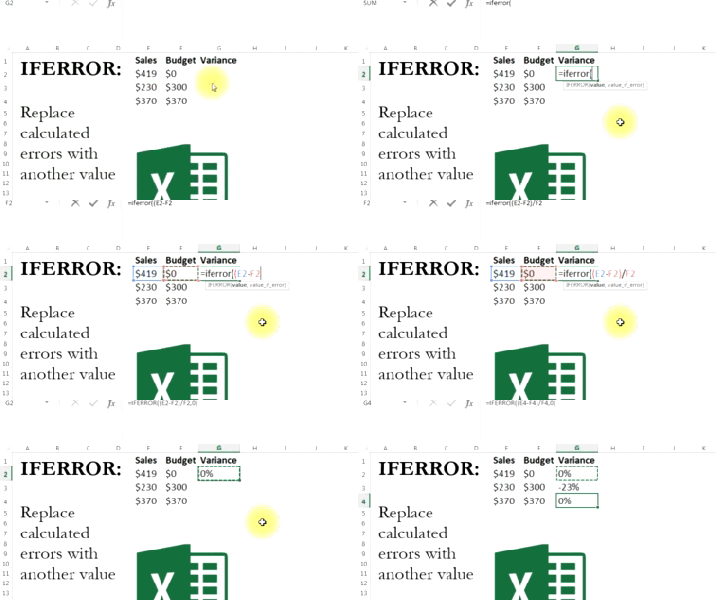
If there were such a thing the Analyst Scouts, it'd have the same motto as the Boy Scouts: Always Be Prepared.A good analyst is thinking two steps ahead of his data, anticipating problems and taking …

Ctrl + 1derful!
I call formatting a necessary evil in Excel. It can easily take as long as the analysis itself -- but the nice thing is that good formatting makes for better, quicker data analysis.Keep the Ctrl+1 …
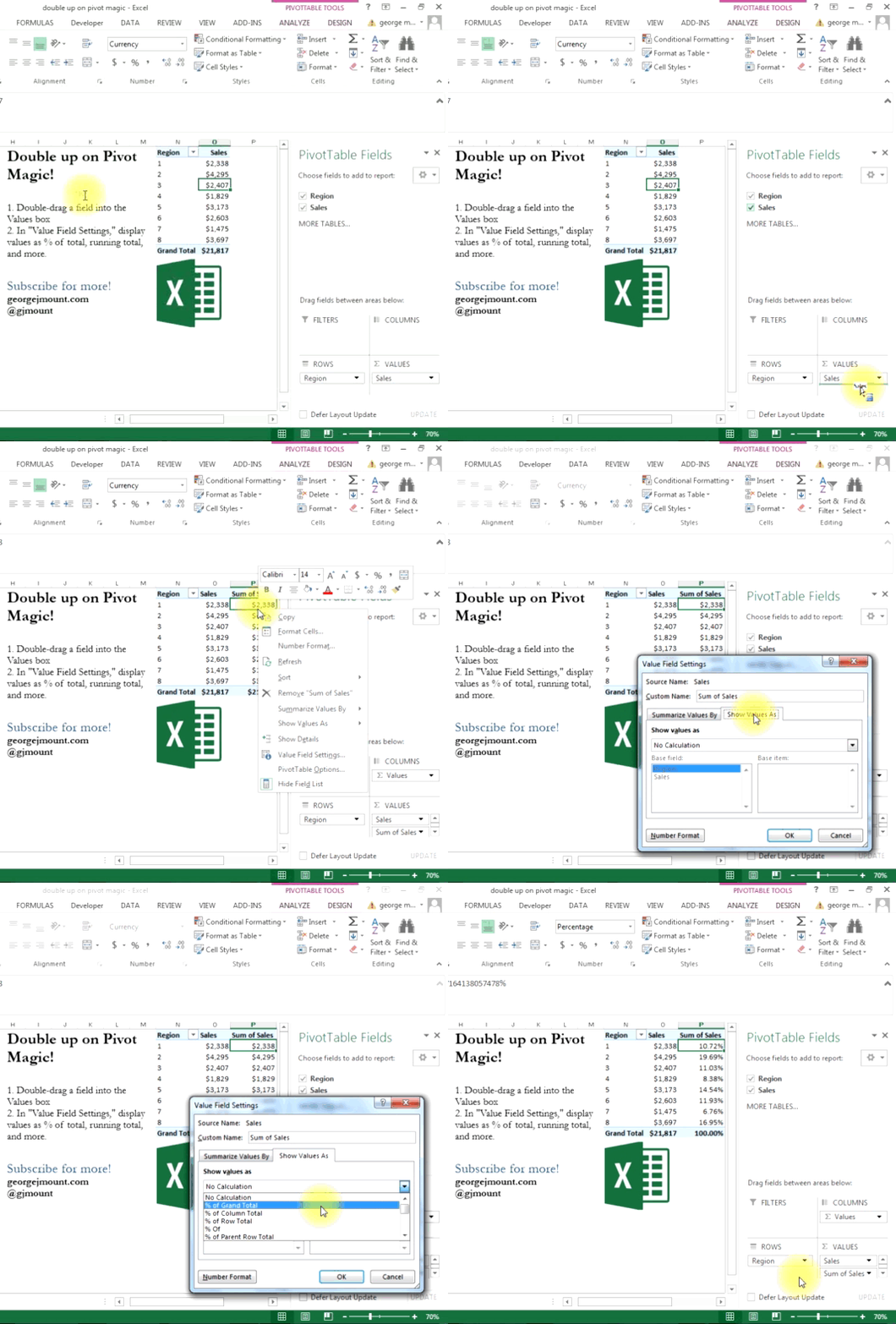
Double Up on Pivot Magic
Did you know that you can use the same value field twice in a #PivotTable? Follow these steps to include a % total or running total on your report. …

Autosum = Awesome
The legendary "Mr Excel" Bill Jelen has shared that once at an Excel training seminar, someone asked him how we was adding up rows from within Excel."How do you add your data?" Bill asked."I get out …

Find Duplicates in Excel
Conditional formatting is great for making quick sense of your data visually. It's a good idea to check for duplicates when receiving a dataset like this one. The next step of course is to figure out …

Dude, Where’s my Pivot Table Data?
Working with other peoples' spreadsheets can be harrowing.When working with new data, a good analyst will ask: "Where is this data coming from?" You want to go ad fontes, as they say in philosophy -- …